What is the Account Setup feature, and who is it for?
Note: This feature is available to customers whose subscription includes the Network module.
This Account Setup feature is designed to be used by General Partners (GPs) to configure your reporting setup directly from your Atlas account. This includes setting up or updating your funds and portfolio companies, as well as defining the reporting requests sent to each reporting entity so the correct disclosures are automatically populated for your new reporting cycle.
In just a few guided steps, you can:
- Map and update your funds and portfolio companies
- Confirm reporting scopes for each entity
- Define and invite your portfolio company contacts
When can a GP use the account SetUp feature?
The Account Set-Up flow becomes available at the start of every fund reporting cycle, usually one month before the reporting period begins.
Example:
If the reporting period for FY2025 begins in January 2026, the flow will open on 1 December 2025.
Who should complete the flow? Can responsibility be reassigned?
Only one user (with an Organisation Admin role) can edit the account set-up at a time. This should be someone who:
- Understands the organisation and portfolio structure
- Knows the fund’s ESG data and reporting requirements
- Can provide GP and portfolio-company contact details
Please identify the Atlas Metrics user (with an Organisation Admin role) who is best positioned to submit the account setup information. The first Organisation Admin to access the Account Setup flow will be automatically designated as the person responsible for completing, reviewing, and updating all required information to ensure the account is correctly configured for the upcoming reporting period.
⚠️ Important
- Once the Account Set-Up is submitted, the responses cannot be edited.
- Make sure the correct person is completing the flow and has all required information before final submission.
Can you Reassign Responsibility to Complete the Account Setup Information?
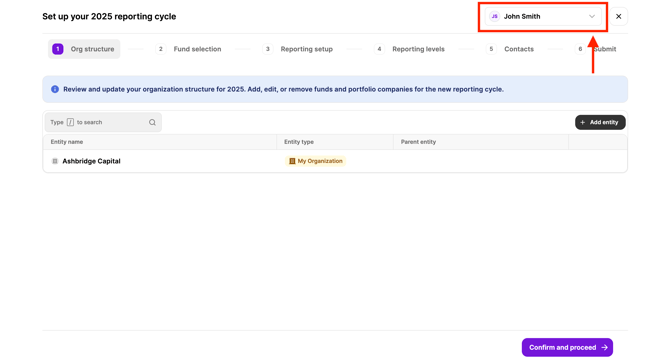
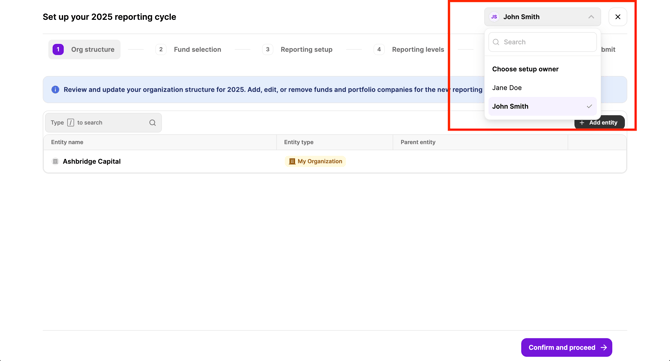
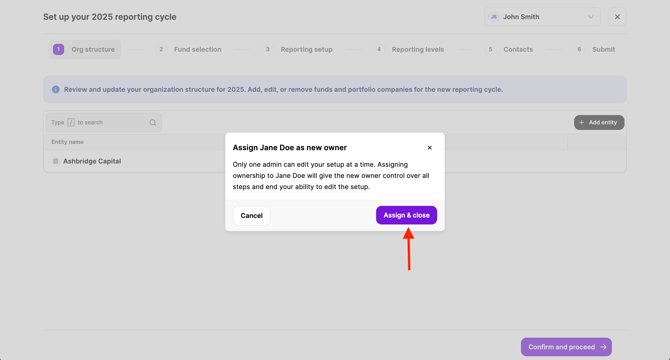
Yes, you may reassign the flow to another Organisation Admin any time after starting the flow using the top right hand bar (found in every step of the flow).
Click on the drop down arrow to select and assign a different Organisation Admin to complete the flow.
⚠️ Please Note
- If the account setup flow has been reassigned to a different Organization Admin, all previously entered information will be saved and carried over to the new assignee.
- If you are new to the platform, Atlas Metrics will assign a primary contact (already provided) as the Organization Admin to complete the information. Once you log in for the first time, you can add additional users to your account before re-assigning the flow to them. For more details on how to add additional users to your account, see the FAQ: “How can I invite team members?”
How does the process work for GPs?
1. Starting the Account Setup Flow
- You will receive an email inviting you to the Account Setup flow. To get started, log in to your Atlas account using the button in the email. If the setup flow doesn’t automatically open, then click the blue banner at the top of your screen to set up your 2025 reporting cycle.
.png?width=670&height=1122&name=image%20(2).png)
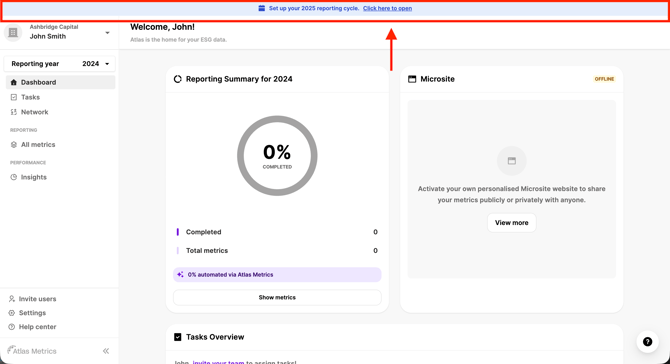
-
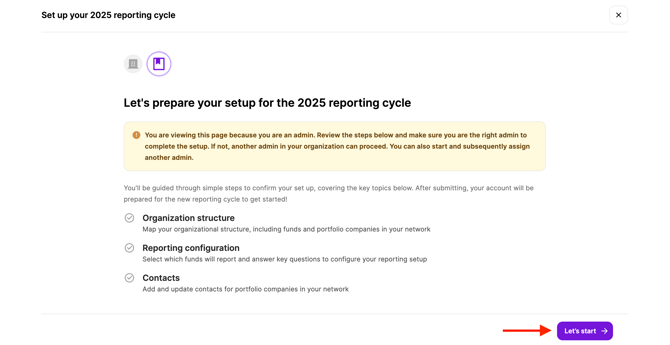
You will be directed to the Account Set-Up landing page within your GP account to start the flow.
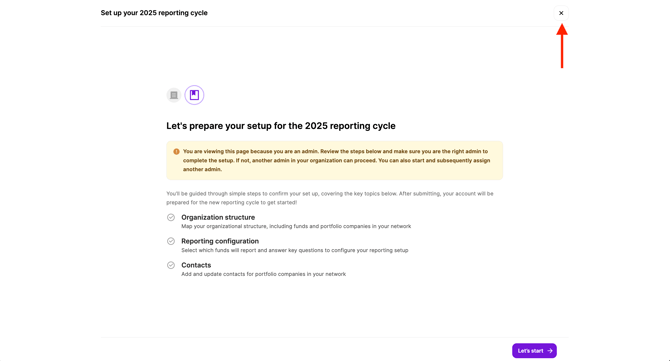
- You can exit the flow at any time by clicking the “X” button at the top of your screen. Your progress will be saved automatically.
2. Complete / Update Your Organisational Structure
The first step is to create, confirm, or revise your organisation’s entities and network connections. An entity is an is a fund or portfolio company.
- Use the black button to add a new entity. Depending on the entity you will be required to submit specific information.
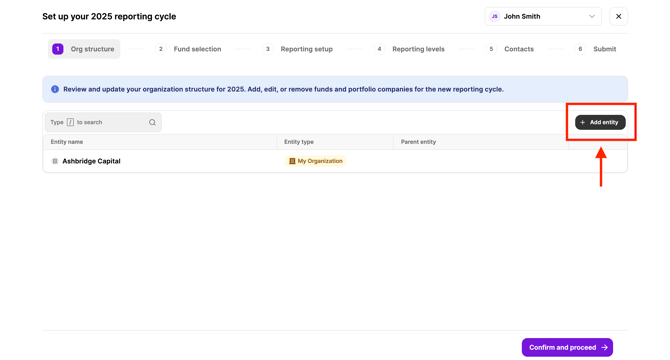
⚠️ Important
- When configuring the currency for portfolio companies, it should reflect their official reporting currency. We recommend aligning it with the currency applied in their financial disclosures.
- Use the toggle on the left side by each fund name to expand or collapse the entity view, and click the cog icon on the right to edit any entity.
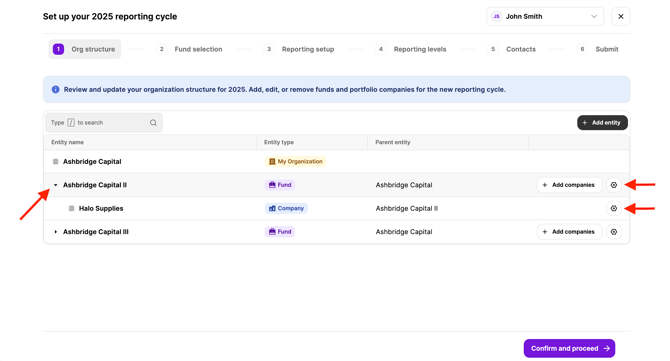
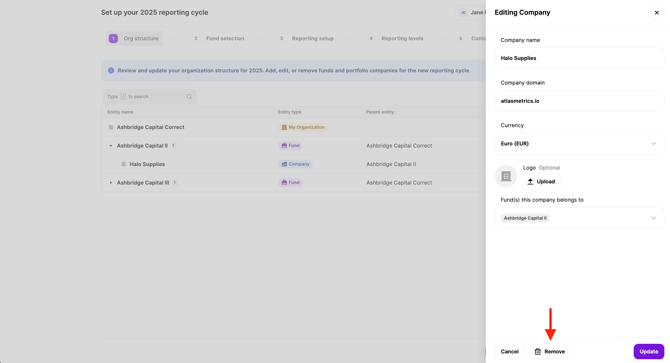
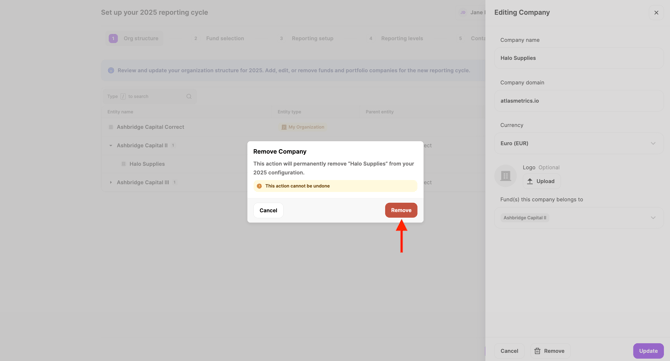
How do I remove a company from being in my upcoming Reporting setup?
- If a company in one of your funds is no longer active, or should be removed for the upcoming reporting year, you can remove it using the cog icon. This removal applies only to the upcoming year’s setup—the company will remain in the previous year’s setup to preserve prior-year reporting and historical records for continuity and traceability.
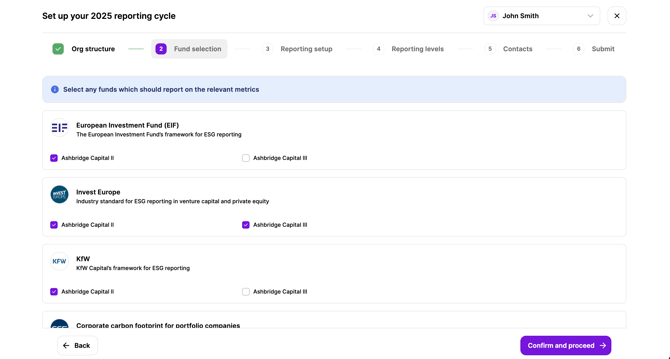
3. Complete / Update Your Fund Selection
Provide or update your reporting requirements for each of your funds. Adjust your selection using the boxes provided.
4. Complete / Update Your Reporting Setup
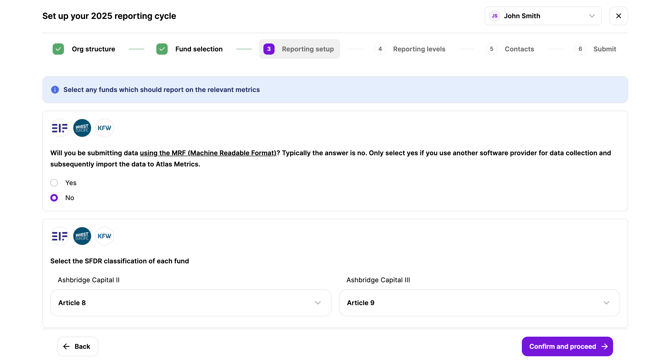
Define the scope of your reporting requirements by fund.
- Confirm whether you will be collecting data via the Atlas Metrics platform or will use another software provider and import your data into the Atlas system via the Machine Readable Format (MRF). For more information on the Machine Readable Format (MRF), see the FAQ: “*Can I import data from another (external) provider?”*
- Specify which SFDR article applies to your fund. For more information on the SFDR articles, see the FAQ: “What do I need to do in SFDR?”
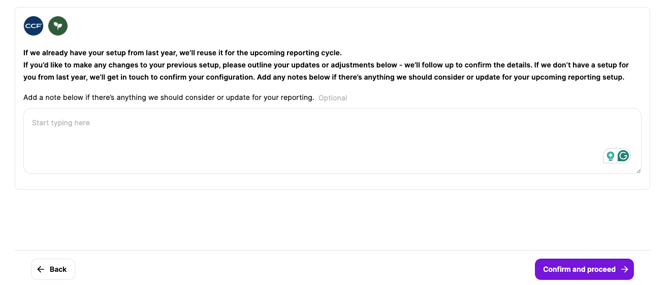
- If you have additional or specific reporting requirements, please provide detailed notes in the text box. This information helps our team configure your accounts accurately and efficiently.
5. Complete / Update Reporting Levels
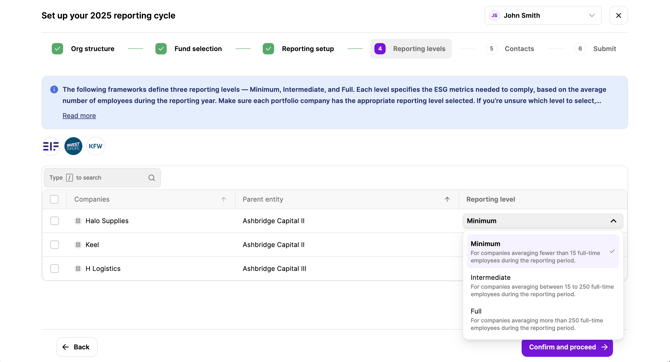
Define which specific ESG data requirements apply to your portfolio companies.
- For more details on understanding the different reporting levels, see the FAQ: “What are the Invest Europe reporting levels/thresholds?”
6. Complete / Update Your Users
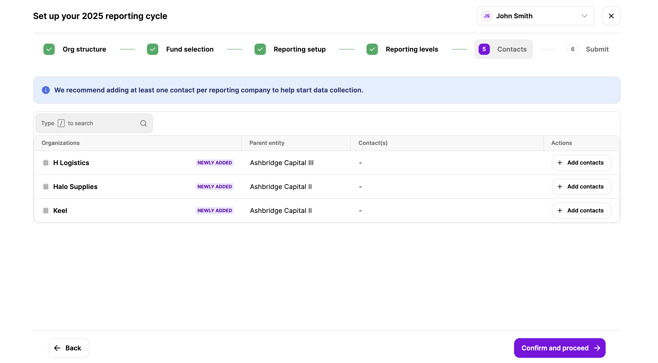
Add the relevant contact details for your portfolio companies.
⚠️ Important
- Do not add yourself as a contact to any of your portfolio-companies unless you have provided Atlas Metrics with explicit written consent from each company to do so.
- Atlas will require evidence of this consent for GDPR compliance. If you have not already done so, please reach out to Atlas support or your Atlas representative in order to proceed here.
- Please note that if you are using an external software provider to collect data and will import your data into Atlas via the MRF upload you will not need to provide any contact details.
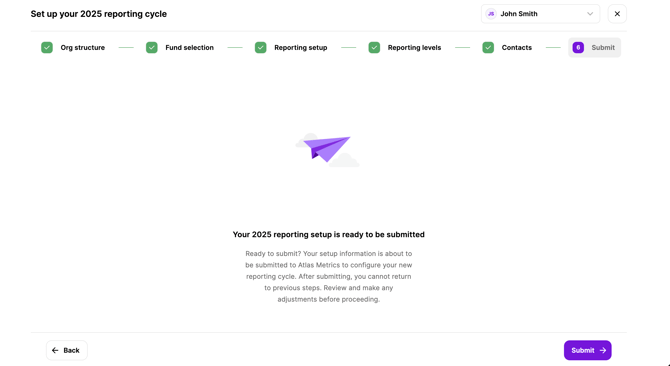
6. Submission of Account Set-Up
-
Please ensure that all the information submitted is accurate and up to date.
After you submit the information:
- The Atlas Metrics team will finalise your account configuration.
- You will receive an email confirmation once your account setups are complete.
- New user accounts will be activated in January unless you request otherwise. If you need them activated sooner, please reach out to Atlas support or your Atlas representative.
- Portfolio-company accounts can begin data collection only after the account is finalised and new users have logged in for the first time.